Vacation Mode
A personal design concept for maps apps
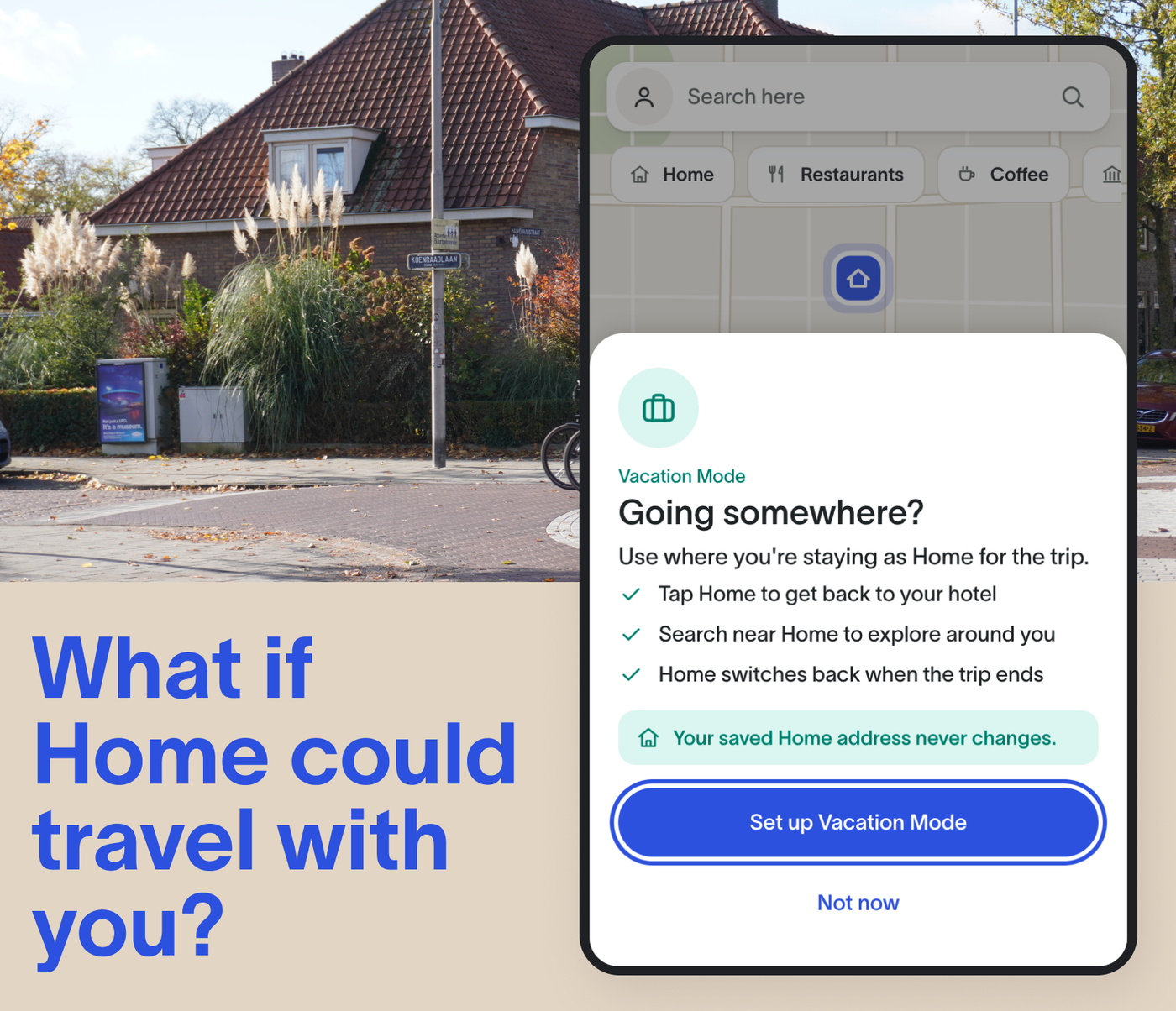
What if Home could travel with you? A personal design concept exploring how a maps app might let you set a temporary Home while you’re away, without changing your real one.
- Year
- 2026
Stack
- UI/UX Design
- Product Design
- Figma
- React
- TypeScript
- CSS
- Component-Driven Design
Impact
While you're away, Home points to where you're staying. When the trip ends, your real Home comes back, unchanged.
The problem
When you travel, your home base changes. The Home in your maps app doesn’t.
Every trip, I find myself re-entering my hotel or Airbnb address into my maps app whenever I need to get back. An unfamiliar postcode or a street name in a language I don’t speak can make a simple journey feel more complicated than it should.
Saving the place as a destination helps, but it still leaves me without a reliable shortcut for getting home. Meanwhile, Home, a feature designed for exactly this, becomes irrelevant while I’m away.
People don't stop needing Home when they travel. They just need a temporary one.
The solution
Vacation Mode lets you temporarily redefine Home without touching your permanent address. Pick where you're staying and the dates. While it's on, Home means that place and searches near Home centre on it. When the trip ends, it switches back by itself.
“Home” is one simple word. It stays the same wherever I am, and it’s easy to say out loud. That makes it far more useful than trying to pronounce an unfamiliar street name.
Explore the prototype
Activate Vacation Mode in Manchester, set Eindhoven as your temporary home, and see what changes while you’re away. Then jump to the end of the trip to see your permanent Home restored.
Interactive prototype
An independent design concept.
Going somewhere?
Use your hotel as Home while you're away.
The design thinking
Which Home is active?
A teal banner and updated Home chip make the temporary Home clear, including the hotel name. The rest of the map stays familiar.
How do you prevent accidental changes to permanent Home?
Vacation Mode never edits it. Instead, it sits on top of the existing Home setting, with clear messaging throughout that your usual Home remains unchanged.
What happens when plans change?
From Manage, you can extend the trip, change your accommodation, or end Vacation Mode early. I’ve explored some additional edge cases in the prototype, while others remain part of the next round of exploration.
Trip extension
In prototypeExtend from Manage, by a day or a few. The temporary Home stays put.
Early return
In prototypeEnd it whenever you like. Home switches back straight away.
Changing accommodation
In prototypeMove hotel mid-trip and only the temporary Home changes. Dates carry over.
Multiple destinations
Several stops become a chain of temporary Homes, each with its own dates.
Forgetting to turn it off
In prototypeIt expires on the end date, and the day before the app offers to extend.
Delayed flights
Still away when the trip ends? The app asks before switching back and offers another day.
Work trips
A business trip could carry a temporary Work too, kept separate from Home.
Timezone changes
The trip ends on its last day in the destination’s timezone.
The next question
The single-destination trip is relatively straightforward. The more interesting challenge is what happens when Home changes more than once.
A two-week trip might look like:
Manchester → Eindhoven → Amsterdam → Manchester
Does each accommodation become the new temporary Home? Should the traveller confirm each change? What happens if they forget?
That’s where I’d take the concept next. Before expanding the feature, I’d also validate whether the temporary Home model feels intuitive, trustworthy and genuinely useful in real trips.